Screen recording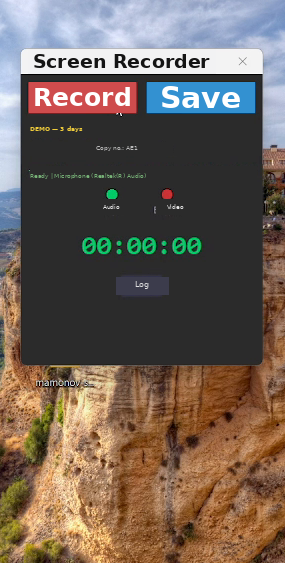
Ready to record 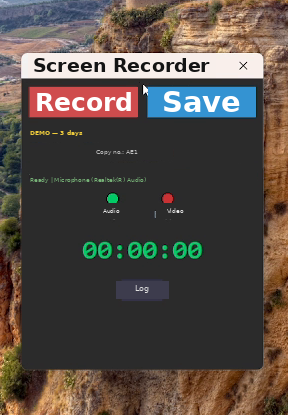
Recording in progress 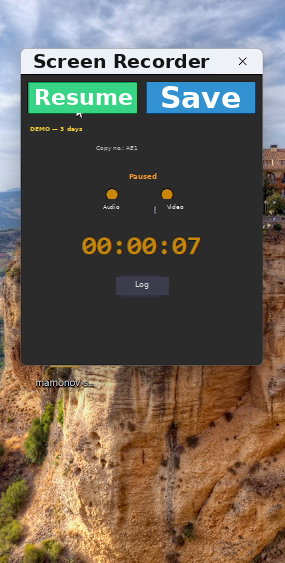
Paused
Screen Recorder
Simple screen recording with microphone audio — one Record button, one Save button
Video: the whole job in a minute
What it does
- Record button toggles start / pause / resume; Save produces the finished file
- Control panel stays out of the capture (Windows 10 2004+)
- Installs in a couple of minutes; downloads the required libraries during setup
- Internet is needed only once — for setup and activation; after that it works offline
- Low resource use thanks to hardware acceleration
- Recordings are saved to your desktop in Mamonov/Mamonov video
- Interface in Russian and English
What it looks like
Requirements and terms
| System | Windows 10 or newer (2004+ to keep the panel out of the recording) |
|---|---|
| Captures | Full screen + microphone audio |
| Setup | Download and install; the required libraries are downloaded during setup |
| Internet | Needed once — for setup and activation; not needed afterwards |
| Demo | 3 days, no feature limits |
Boundaries: what the program never does
- Never sends your data to third-party servers
- Not connected to the internet by default — your personal data stays local
- No junk: only the program itself, nothing extra
- Runs only on your own computer
$3.9 one-time payment, perpetual licence
Demo first, money later
The demo runs for 3 days with no feature limits and costs nothing. Test it with your own broker first, pay only afterwards.